

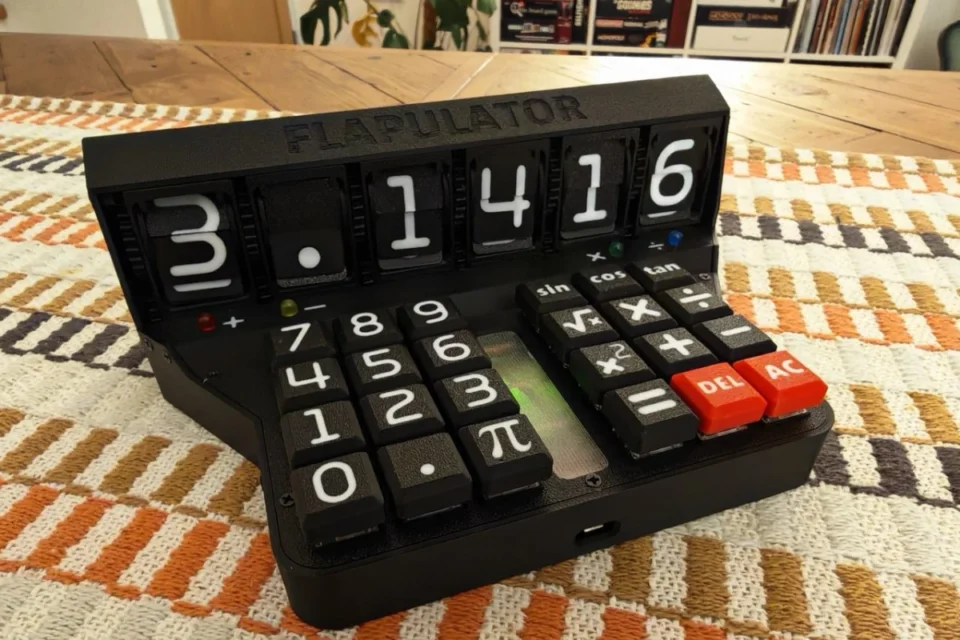
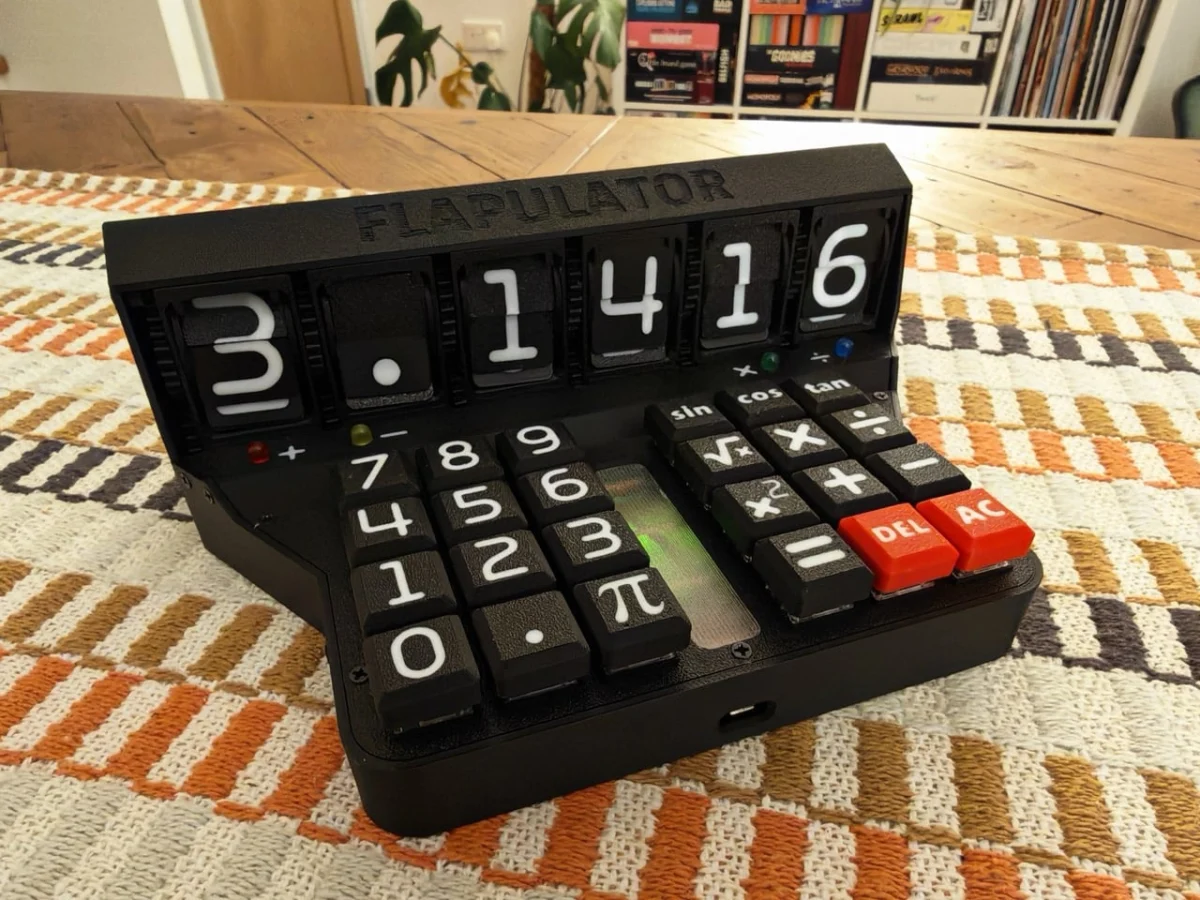
In an era dominated by sleek glass touchscreens and multi-purpose mobile devices, a new project from the maker community is challenging the digital status quo by returning to the fundamentals of tactile engineering. The "Flapulator," a bespoke 3D-printed calculator developed by computer scientist Chris Haynes, has recently captured the spotlight in the latest issue of the Raspberry Pi Official Magazine (Issue 166). Far from being a mere novelty, the device represents a sophisticated intersection of the "Unix philosophy"—doing one thing and doing it well—and the burgeoning movement of "Slow Tech," where the process of interaction is as valued as the result.
Main Facts: The Anatomy of a Mechanical Calculator
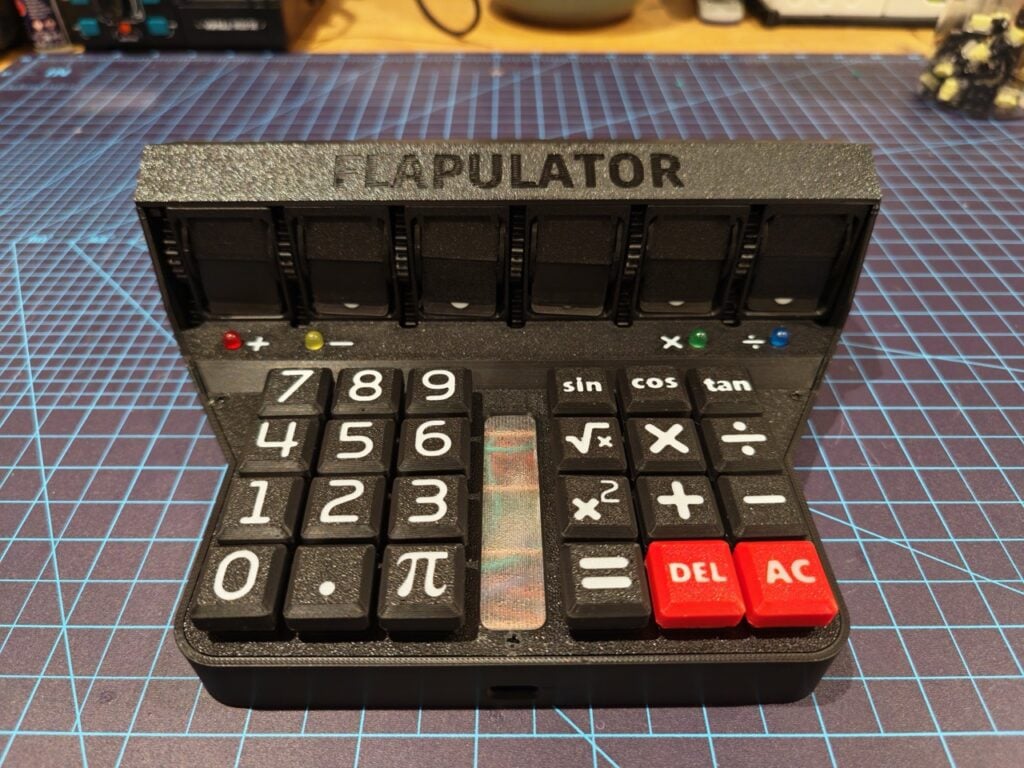
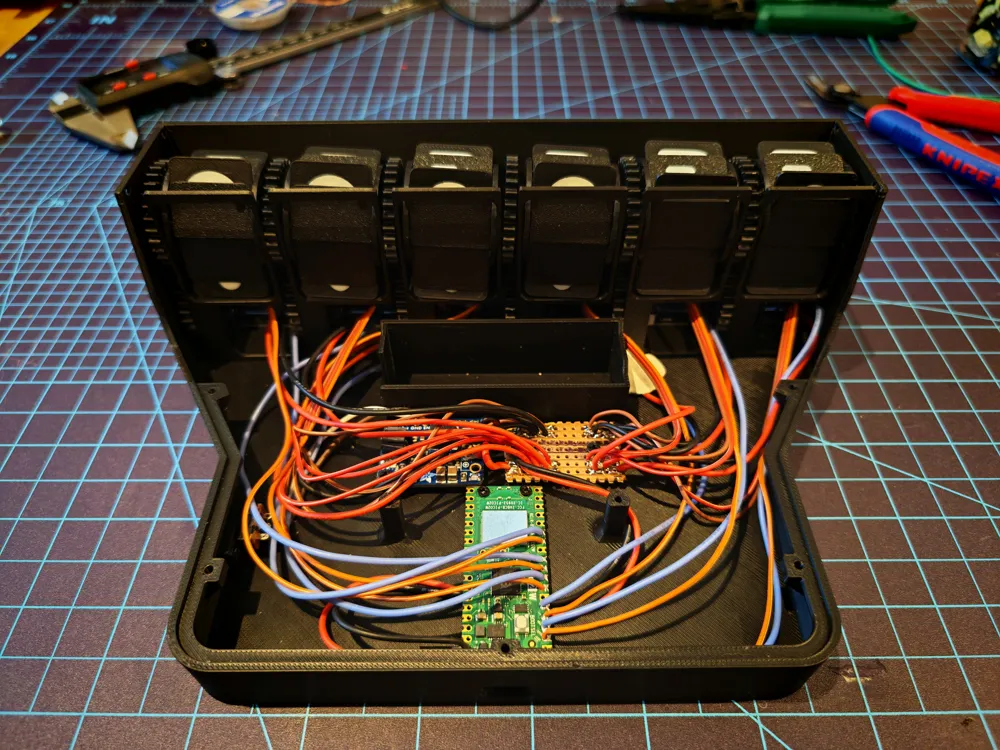
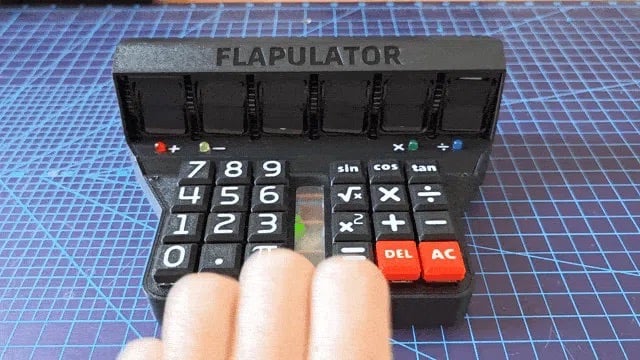
The Flapulator is not your standard handheld calculator. At its core, it is a hardware manifestation of mathematical devotion, powered by the Raspberry Pi Pico and featuring a display technology that predates the digital revolution: the split-flap mechanism. While modern calculators rely on Liquid Crystal Displays (LCD) or Light Emitting Diodes (LED) to provide instantaneous results, the Flapulator utilizes a series of rotating physical flaps to click-clack its way to a solution.
Key Technical Specifications
- Processor: Raspberry Pi Pico (utilizing the RP2040 microcontroller).
- Display: Custom 3D-printed mechanical split-flap modules.
- Keyboard: Gateron KS-33 low-profile mechanical switches.
- Design Philosophy: Mathematical "Easter eggs" integrated into the physical geometry.
- Input Logic: Dedicated Pi ($pi$) functionality and radian-exclusive trigonometric operations.
The choice of the Raspberry Pi Pico is significant. As a low-cost, high-performance microcontroller board, the Pico provides the necessary Pulse Width Modulation (PWM) and General-Purpose Input/Output (GPIO) capabilities required to drive the stepper motors or servos that actuate the mechanical flaps. Furthermore, the use of Gateron KS-33 switches—the same high-end components found in the Raspberry Pi 500+—ensures that the user’s input experience is as premium as the visual output.
Chronology: From Concept to Clicking Reality
The development of the Flapulator follows a timeline of iterative design and a clear rejection of modern convenience in favor of mechanical gravitas. The project began with Chris Haynes’ desire to create a device that imbued numerical calculation with a sense of physical weight.
Phase 1: The Unix Inspiration
Haynes’ journey started with the Unix philosophy. In the early days of computing, software was designed to be modular and specialized. Haynes sought to bring this logic to hardware. While a smartphone can act as a calculator, it is also a gateway to notifications, emails, and distractions. The Flapulator was conceived as a "single-tasking" sanctuary—a device where the act of adding two numbers becomes an intentional, physical event.
Phase 2: Engineering the Split-Flap
The most labor-intensive portion of the timeline involved the display. Split-flap displays, often associated with mid-century train stations (Solari boards), are notoriously difficult to miniaturize. Haynes had to design 3D-printable flaps that were light enough to be moved by small motors but sturdy enough to provide the "click" sound essential to the user experience. This required months of prototyping to ensure the timing of the flaps aligned perfectly with the calculations processed by the Raspberry Pi Pico.
Phase 3: The Geometric Integration
In the final stages of design, Haynes moved beyond functional engineering into the realm of mathematical art. He decided to encode the value of Pi ($pi$) into the very bones of the machine. The angles of the casing, the slope of the lid, and the internal supports were not chosen for aesthetic convenience alone; they were derived from the digits of Pi, creating a recursive tribute to the constant that defines circular geometry.
Supporting Data: The Mechanics of Tactile Feedback
To understand why the Flapulator has resonated so strongly with the Raspberry Pi community, one must look at the data regarding "haptic satisfaction." In the field of Human-Computer Interaction (HCI), the "tactile loop"—the physical sensation of a button press followed by an audible or visual mechanical response—is known to increase user engagement and reduce cognitive load during complex tasks.
The Display Engineering
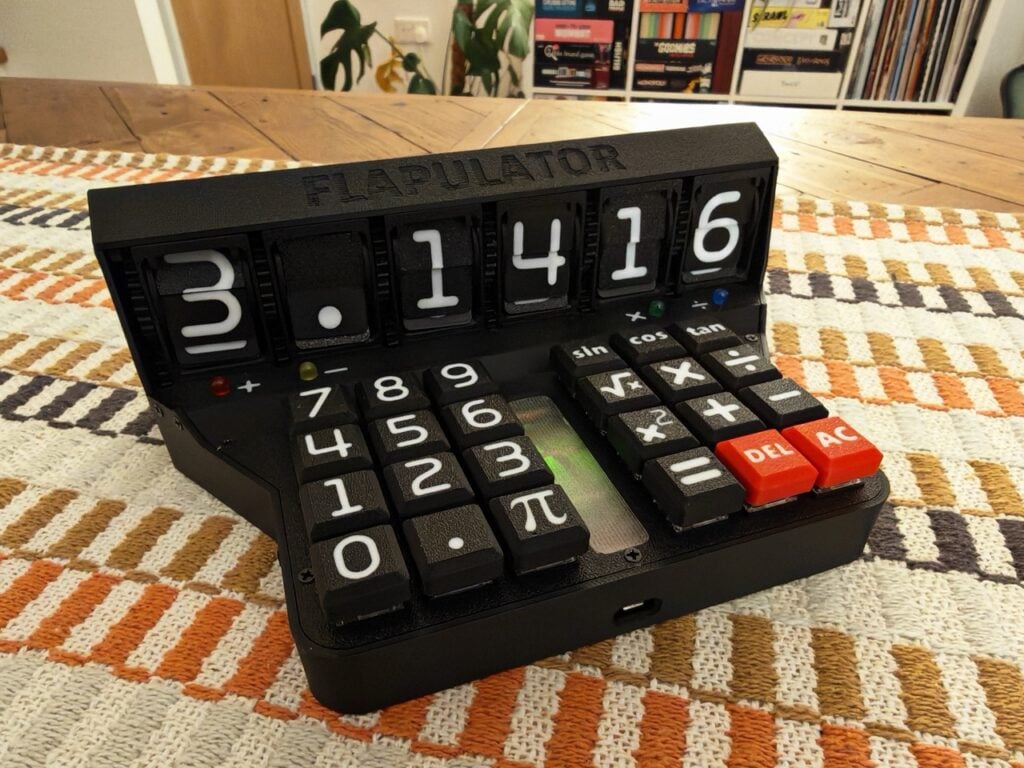
The split-flap display is a masterpiece of mechanical timing. Each digit requires a full rotation of a drum containing flaps for 0 through 9. To display a number like "314," the Pico must calculate the current position of each drum and send the precise number of pulses to the motors to rotate them to the correct flap. This introduces a "latency by design." Unlike a digital screen that updates in milliseconds, the Flapulator takes a second or two to "settle" on an answer, forcing the user to pause and observe the mechanical process.
The Keyboard Matrix
The use of Gateron KS-33 low-profile switches provides a specific "actuation force" (roughly 50g) and a "travel distance" (3.0mm) that mimics the feel of a high-end mechanical typewriter. By integrating these into a calculator, Haynes has elevated the "data entry" phase of math from a chore to a sensory experience. The Raspberry Pi Pico handles the keyboard matrix scanning, ensuring that even rapid-fire calculations are captured accurately before being translated into mechanical movement.
Official Responses: The Creator’s Perspective
In an interview featured in Raspberry Pi Official Magazine, Chris Haynes reflected on the unexpected utility of his creation. While many might view a split-flap calculator as a "desk toy," Haynes found that the physical nature of the device changed his relationship with mathematics.
"I have found myself using the Flapulator more often than I expected," Haynes told the magazine. "For quick and simple calculations, it does add some extra enjoyment that you just can’t get with a digital equivalent. I think we can all appreciate the joy of using a highly tactile device, and the Flapulator does a great job of stimulating all of the senses related to that."
Haynes highlighted the "triad of sensation" that the device provides:
- Tactile: The satisfying "click" of the Gateron switches.
- Auditory: The rhythmic "shuffling" sound of the flaps turning.
- Visual: The kinetic movement of the display updating.
The editorial team at Raspberry Pi Towers echoed this sentiment, noting that the project aligns perfectly with the "hacker spirit" of the magazine. They particularly praised the "Easter eggs" hidden in the build—such as the fact that all trigonometric functions only work in radians, a nod to pure mathematics that ignores the more common (but arguably less "elegant") degree-based system.
Implications: The Future of Specialized Hardware
The success of the Flapulator points toward several broader trends in the technology and maker sectors.
1. The "Slow Tech" Movement
As digital fatigue grows, there is a rising demand for "Slow Tech"—devices that intentionally slow down interactions to make them more meaningful. The Flapulator is a prime example of this. It does not try to be the fastest calculator in the world; it tries to be the most present. This has implications for educational tools, where mechanical feedback can help students better internalize the steps of a mathematical process.
2. The Democratization of Complex Engineering
Ten years ago, building a custom split-flap display would have required a machine shop and thousands of dollars. Today, with a Raspberry Pi Pico (costing approximately $4-$5) and a consumer-grade 3D printer, a single individual like Chris Haynes can produce a piece of precision engineering in a home office. This democratization of hardware means we are likely to see a surge in "boutique" electronics that cater to very specific niche philosophies.
3. The Unix Philosophy in Hardware
The Flapulator serves as a proof-of-concept for a return to specialized hardware. In a world of "Swiss Army Knife" gadgets, there is a growing appreciation for the "Fixed-Blade" gadget—a tool that does one thing with absolute perfection and personality. This could lead to a new market for "artisanal" electronics, where the value lies in the build quality and the specific "soul" of the device rather than its feature list.
Conclusion: How to Explore the Flapulator Further
For those interested in the technical nuances of the Flapulator or wishing to embark on their own mechanical builds, the full feature is available in Issue 166 of the Raspberry Pi Official Magazine. The issue provides a deeper dive into the code used to synchronize the flaps and the CAD files that incorporate the Pi-based geometry.
The magazine is currently available at the Raspberry Pi Store in Cambridge and through various online retailers. In a move to further support the maker community, Raspberry Pi Press has announced that new six- or twelve-month print subscribers will receive a free Raspberry Pi Pico 2 W, the next generation of the very controller that brings the Flapulator to life.
As we move further into a virtualized future, projects like the Flapulator remind us that there is still immense value in the physical world. Whether it is the sound of a flap falling into place or the resistance of a mechanical switch, the Flapulator proves that sometimes, to move forward in technology, we must take a tactile step back.